LeapPad Academy: Four Checks for the Kids’ Learning Tablet Decision
Posted on 2026-08-19 by Miriam Adler
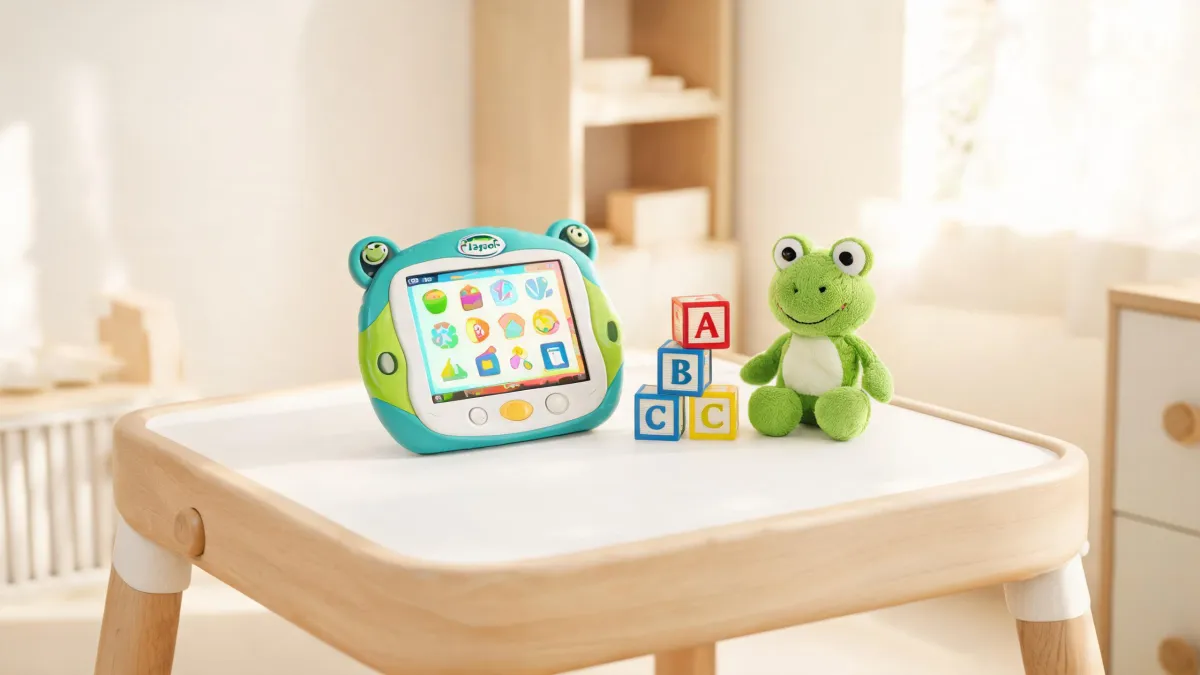
You are standing in front of a real choice: a dedicated kids' learning tablet like the LeapPad Academy, or a general-purpose tablet you already own or could buy for less. Which one belongs in your child's hands? For most parents the answer seems obvious—why not take the cheaper, more flexible option that can also stream movies and run school apps? That is exactly where the reasoning goes wrong. A general-purpose tablet wins on display sharpness, processor speed, and app selection, while the LeapPad Academy can look weak on those specs: it is slower, lower-resolution, and locked down. But those differences are not the point. The real question is what happens when a three-year-old gets unrestricted access to YouTube, in-app purchases, and an open web browser. The choice before you is about screen-time quality and control, not benchmark charts. Over the next sections, we will judge the device not on specs but on four standards: whether the age band fits your child, what the content library delivers, how much control you keep, and what happens when the tablet survives a preschooler. By the end, you will have a decision rule that settles the buy-or-skip question in ten minutes.
The Most Important Spec Is Not on the Box
Here is the choice you face: a dedicated kids' learning tablet like the LeapPad Academy, or a general-purpose tablet you already own or could buy for less. Which one belongs in your child's hands? The obvious answer for many parents is the cheaper, more flexible option that can also stream movies and run school apps. And that is exactly where the reasoning goes wrong. A general-purpose tablet wins on display sharpness, processor speed, and app selection, while the LeapPad Academy can look weak on those specs: it is slower, lower-resolution, and locked down. But those differences are not the point. The real question is what happens when a three-year-old gets unrestricted access to YouTube, in-app purchases, and an open web browser. The choice before you is about screen-time quality and control, not benchmark charts. Over the next sections, we will judge the device not on specs but on four standards: whether the age band fits your child, what the content library delivers, how much control you keep, and what happens when the tablet survives a preschooler. By the end, you will have a decision rule that settles the buy-or-skip question in ten minutes.
The framework we will use throughout this article tests the device against four criteria instead of pitting it against other tablets spec by spec. The first criterion is age fit: LeapFrog, the company behind the device, segments its products into narrow age bands, so your child's stage of development, not your budget, determines whether this purchase makes sense. The second criterion is content value: how many learning activities come with the device and whether they form a structured path or a random assortment of mini-games. The third is parental control: does the device keep the child inside a trusted world, or does it expose them to an open browser and social media? The fourth is durability: what happens when the tablet drops from a car seat, gets hit by a juice cup, or becomes the subject of a toddler science experiment? These criteria capture what parents care about: growth and fewer headaches. For children between three and eight, a dedicated learning tablet often outperforms a general-purpose tablet on these standards, not because the hardware is better but because the design intent is different. The specs disappear when the age band, content, and controls align with your child's real life.
The Layered Product: Why It Is Not a Kinder Android
'Learning tablet' sounds like a normal Android tablet wrapped in a rubber bumper and preloaded with a few educational apps. That myth leads parents to judge the LeapPad Academy with the wrong yardstick. This product is not a general-purpose tablet in a childproof skin; it is a closed ecosystem built around age-staged learning. LeapFrog's support hub organizes every product into strict age bands, from Infant to First Grade & Beyond, and lists each device under its corresponding stage. That structure tells you the hardware is intentionally limited. When you power on the LeapPad Academy, you do not find a generic app store and a web browser; you find a system that funnels the child into a curriculum organized by age and topic. The closed design is a feature for young kids, not a limitation. Once you stop treating it as a weak Android tablet, you can evaluate it for what it is: an education-first device with a tightly managed content path.
The age-graded content path is the heart of the LeapPad Academy, and it is not a random assortment of games with educational titles. The official path lists named stages from Baby (6–11 mos.) through Pre-K (4 yrs.), Kindergarten (5 yrs.), Grade 1 (6 yrs.), and Grade 2–3 (7–8 yrs.), and each stage corresponds to a specific set of skills: pre-reading, early math, or logic. That structure prevents a child from straying into content that is too easy or too hard. Each stage adjusts vocabulary, pacing, and difficulty to fit a developmental window, so a four-year-old cannot jump into work designed for a six-year-old. That structure creates productive challenge: hard enough to engage, easy enough to build confidence. This is the difference between content that is educational in theme and content that is educational in design. The evidence from official materials shows the tablet relies on a learning trajectory that moves with the child, which is why the device can claim to prepare a child for kindergarten and early elementary school rather than just entertain them with alphabet games.
The most surprising fact about the LeapPad Academy is that paying for the hardware does not unlock the full library. The tablet includes some built-in activities, but the complete content library sits behind the LeapFrog Academy subscription, advertised as '2,000+ Learning Activities' with a one-month free trial. Many parents assume a learning tablet includes all its learning content, which is why the subscription catches them off guard. In reality, the subscription is the engine that keeps the age-graded path fresh and aligned with progress. The one-month trial lets you test before paying, so the subscription is not a hidden fee—it is a structured cost to include in your budget. This is a genuine tradeoff: a general-purpose tablet may cost less upfront with no recurring fee, while the LeapPad Academy requires a monthly investment. The scale of the content—2,000+ activities—explains why the subscription exists and why the brand can keep the curriculum aligned to school readiness instead of leaving you to curate apps yourself.
Check the Age Band Before You Buy
Your child's age is a bigger factor than the price tag, and it is not a close call. Many parents think that if a child can tap and swipe, any learning tablet will work, so they buy the device that fits the budget rather than the one that fits the child. LeapFrog's own product pages break the entire catalog into age bands: Infant (3–12 months), Toddler (1–3 yrs.), Preschool (3–4 yrs.), Pre-K (4–5 yrs.), Kindergarten (5–6 yrs.), and First Grade & Beyond (6+ yrs.). Those bands are not marketing labels; they separate devices by the skills each product targets. The LeapPad Academy sits in the range where children build pre-reading skills, early math, and kindergarten readiness. If you place a five-year-old in front of a path built for a two-year-old, or a seven-year-old in front of a pre-K path, the mismatch shows up as boredom or frustration. Before you compare warranties or screen sizes, ask which band your child is in, then confirm the device serves that band. This single question resolves more purchase confusion than any spec comparison.
Age matching matters for a reason beyond whether a child will reject old content: it is about cognitive alignment. A four-year-old is building phonemic awareness and number sense and needs tasks paced for their attention span, while a six-year-old is moving toward decoding and basic arithmetic and will find the same slow prompts tedious. When the content matches, the child experiences productive challenge; when it does not, they tune out as babyish or give up as impossible. LeapFrog's age bands adjust vocabulary, hint frequency, theme, and motor demands to prevent that mismatch. A general-purpose tablet has no such layer; it presents a uniform app store and leaves you to police it manually. The Academy's structure changes difficulty as the child's progress moves, which suits families who cannot sit beside the child for every session. Matching the device to the child's stage is not a preference; it is the mechanism that makes an educational tablet educational.
The LeapPad Academy clears the age-fit bar, but only inside a defined window. LeapFrog's navigation places the Academy Learning Path within the preschool through early elementary span. Translated into a buying rule: the device is a strong match for children from about age three through age eight. That range is wide but not infinite. A two-year-old is too young to benefit from the directed lesson structure, and a nine-year-old has outgrown the content and may want a device for schoolwork or creative tools. Within the target band, the tablet earns a clear go signal; outside the band, it fails the age-fit test before you consider any other feature. Age fit is not merely a precondition; it is the decisive criterion. If you are within the band, you can forgive the weaker hardware and the subscription cost. If you are outside it, no amount of bundle deals fixes the mismatch. When you walk into the store, bring your child's exact age and use the age band as the gate to everything else.
Weighing Subscriptions, Controls, and Durability
Before you buy, you should face the three concerns that dominate parent forums: the subscription, the closed environment, and the risk of a broken device. All three are real, and all three are addressable. LeapFrog's support hub shows exactly how the company expects these problems to surface. The FAQ list includes cancellation, charging troubleshooting, and factory-reset guides. These pages are evidence that the brand publishes recovery steps instead of hiding failures. A cancellation process means the subscription is not a lifelong trap; a charging troubleshooting guide means the common hardware failure has a known path; and a factory reset guide means you can wipe a misbehaving tablet instead of replacing it. The real limitation is not the subscription itself but whether you are willing to manage an ongoing account. If you hate monthly bills, the recurring cost is a genuine turnoff. But the picture changes once you realize the subscription is what keeps the learning path updated, and the support pages give you a way out if it stops being worth it.
Durability is the concern where the warranty ecosystem does the most work. The legal section lists a United States/Canada Two Year Limited Kid-Proof Warranty for tablets purchased after May 17th, 2017, alongside a support category called 'Kid-Proof LeapPad Warranty' and a dedicated product manual for the LeapPad Academy. The exact model listing should be verified against your receipt, but the broader point stands: LeapFrog has built a support program specifically for children's tablets, not a generic keep-your-receipt clause. That program changes the risk math. A two-year limited warranty that covers child-inflicted damage is rare among general-purpose tablets, and it tells you the manufacturer expects drops, spills, and bangs. Your decision rule should include one extra check: after you confirm the age band, make sure the unit you buy is covered by the Kid-Proof warranty and save your proof of purchase. That does not eliminate every nightmare scenario, but it removes the fear that a cracked screen means a bricked device with no recourse. For many families, that safety net turns an anxious maybe into a confident yes.
A Workable Decision Rule for Most Families
The verdict can be stated as a reusable rule with two conditions. If your child is between three and eight years old, and you want a device that keeps learning ahead of entertainment, the LeapPad Academy deserves your money. The first condition is the age band; the second is your acceptance of a locked-down environment. When both are true, the subscription cost is a reasonable price for a continuously updated curriculum, and the lack of a browser is a feature that reduces your supervisory load. If either condition fails, the purchase is likely to be a regret. A nine-year-old will chafe against the content limit, and a two-year-old cannot navigate the lesson structure; both are signs to walk away. A parent who wants a general-purpose tablet for both learning and entertainment will also find the Academy too restrictive. The rule is not a mystery: match the age band, tolerate the subscription, and accept the lock-in—then buy. If you cannot say yes to all three, do not rationalize the purchase; the math will not improve after the warranty expires.
This rule is not universal, and it is worth stating where it stops applying. If your family needs a device for school-issued apps, speech therapy software, or creative tools that do not exist in LeapFrog's library, the closed ecosystem will frustrate you quickly. If your child uses assistive technology or needs a specific accessibility service, a general-purpose tablet is the safer route. The advice here also assumes you are willing to act as the account manager—emailing to cancel if the subscription stops being worth it, downloading manual updates, and checking the child's progress dashboard. The decision rule we built around the age band and the subscription is a sharp tool, but it is sharp only for families that fit the stated profile. Now look back at the opening dilemma: a dedicated learning tablet versus a familiar general-purpose tablet. If your child is in the age band and you can commit to the subscription, the dedicated device wins; if not, the general-purpose tablet is the right choice. That is the whole decision in one sentence, and it is yours to apply without needing a second opinion.
So the choice from the opening has a clear answer: if the age band fits and the subscription is acceptable, the LeapPad Academy wins; otherwise, the general-purpose tablet does.

Miriam Adler
Miriam Adler is an educational and STEM toy analyst specializing in busy boards, Montessori-style manipulatives, learning towers, sound books, reading pens, pretend-play sets, and early learning toys. She applies ASTM F963 and IEC 62115 methods while evaluating small-part hazards, accessible edges, switch durability, sound output, battery access, pull force, and age-appropriate task complexity. Her work helps parents, retailers, and product teams choose learning products that align developmental goals, supervision needs, interaction design, and the intended age stage.