LeapFrog Touch Screen WiFi Smart Baby Monitor: Does It Actually Reduce Those 3 a.m. Checks?
Posted on 2026-08-19 by Miriam Adler
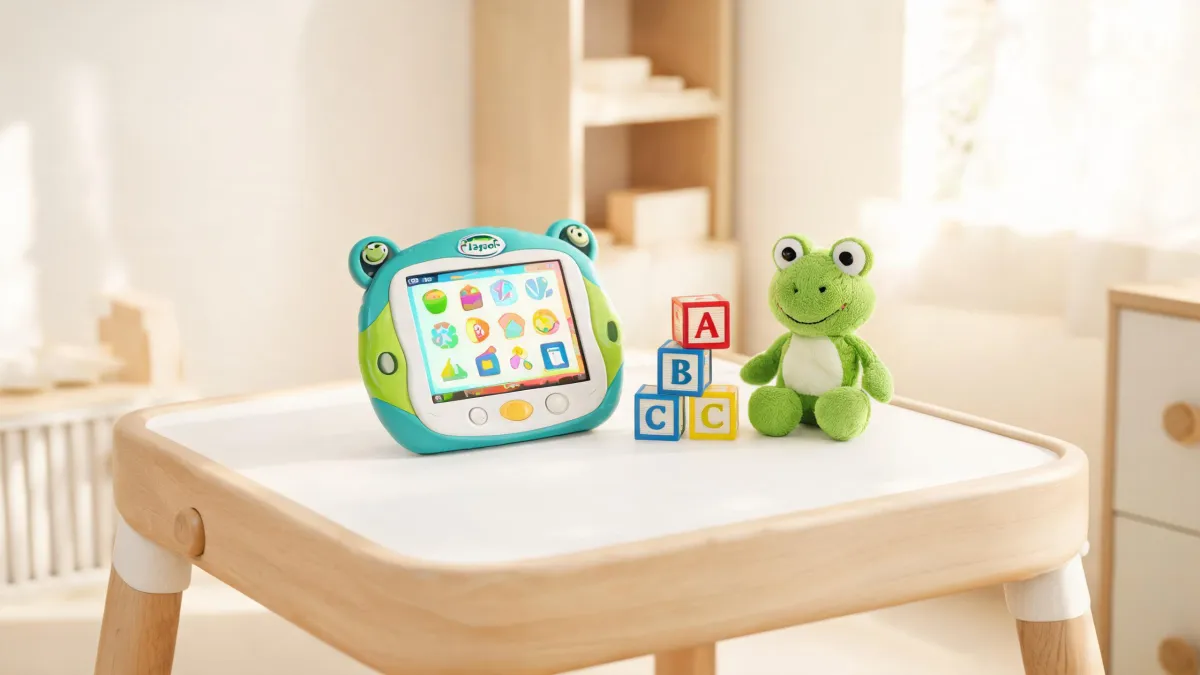
Here is the direct answer: the LeapFrog touch screen WiFi smart baby monitor is not a larger screen that replaces a traditional monitor; it is a tool designed to turn 'let me make sure the baby is okay' into a one-handed motion that takes seconds. Its real value is not adding viewing time but reducing the number of times you need to check in an interrupted night. That difference changes what you should look for: fewer steps, not higher resolution.
The LeapFrog Touch Screen WiFi Smart Baby Monitor Is a Supported Product Line
LeapFrog's website is where the product line becomes concrete. Under 'Browse by Product', you will find baby care listed as its own group, with Smart Baby Monitors and Video Baby Monitors alongside Tablets, Reading Systems, and Learning Toys. That placement is meaningful; it means the monitor is a maintained product family with dedicated support, not a one-off accessory. The same page shows the age range LeapFrog designs for—from infants (3–36 months) to first graders (6+ years)—so you can see where the monitor fits in the ecosystem. If you are already using LeapFrog learning products, the monitor is a natural sibling device; if you are new to the brand, the category structure still tells you that this is a company that plans to support what it sells. This matters because 'smart' baby monitors from smaller brands often vanish after a year. LeapFrog’s explicit listing and long history are evidence that the monitor is strategic, not a side experiment.
Now, you might ask a fair question: if this monitor is so well supported, why does the touch screen matter? After all, your phone has a touch screen and an app. A phone app requires you to find your phone, wake it, unlock it, open the app, wait for the stream, and tap to zoom. That is six to eight actions in the dark, each one a small reason to give up and walk to the nursery instead. A dedicated touch screen sits on the bedside table in a low-power state; a light touch wakes it, and the camera feed is immediately visible. You can zoom with a pinch or a tap, and you can talk to the baby without a separate intercom session. The difference is not the technology; it is the number of decisions between a sound and a verdict.
LeapFrog’s broader catalog reinforces that this is a company that builds touch-first products. The homepage showcases toys like the 2-in-1 LeapTop Touch and the Mr. Pencil’s Scribble & Write. That context matters because it suggests the monitor’s touch interface is engineered by a team that already understands how fingers and tiny screens interact. It does not guarantee the monitor is perfect, but it does mean you are not buying a touch screen from a company that has never made one. The same catalog also shows the age grading: infant and toddler toys (3–36 months), preschool (3–5 years), and so on, which tells you the company thinks in age-specific needs. For a monitor, that translates to a concern for low-light usability and simple parent controls. The specific touch behavior—wake time, tap target size, brightness—should still be verified on the product page for the exact model, because a toy screen is not a monitor screen.
How Touch, WiFi, and Smart Modes Change Night Checks
What actually changes when you bring a touch screen and WiFi into the nursery? The short answer is that the monitor removes steps, but it also introduces a dependency on your home network. The touch screen changes the physical interaction: instead of hunting for a small button along a dark edge, you touch the part of the screen that shows the baby. That seems trivial until you have done it with one eye open. The WiFi adds a second layer: the ability to view the feed from another part of the house or the kitchen. That flexibility is real, but it is conditional. The monitor needs a stable 2.4 GHz connection, and the range depends on where you place the parent unit and the camera. If your router is far from the baby’s room, the feed can lag or drop, and then the monitor becomes just a local-only device.
The cause-effect chain runs like this: fewer button presses mean fewer reasons to get up; WiFi streaming means you are no longer tied to the crib-side receiver; and a well-designed night mode means the image is actually readable when you need it. Each link is simple, but together they change the experience. A monitor without touch forces you to learn a button sequence; a monitor without WiFi forces you to be in the same room; a monitor without a good night mode forces you to turn on a lamp. LeapFrog’s approach bundles all three, and the touch screen is the entry point that makes the other two feel natural. That is why the comparison to a phone app is misleading: it offers the same remote viewing, but at night it still costs several extra seconds—seconds in which a parent often decides to just walk to the nursery. The dedicated touch screen eliminates that friction, and the WiFi link becomes a backup rather than the primary route. In practice, parents use the touch screen for quick checks and WiFi only in another room.
What happens when the monitor fails or you cannot get it connected? That is where the official support channel matters. LeapFrog’s support site treats baby monitors as a full product category, separate from learning toys and tablets. That means you have an official place to go for pairing problems or firmware updates, not just a 2015 forum thread. The same support page lists popular instruction manuals and product FAQs, so before you call customer service you can often solve the issue yourself. Look at the navigation: 'Support' → 'Browse by Product' → 'Baby Care' → 'Smart Baby Monitors' and 'Video Baby Monitors.' Such a hierarchy suggests the company plans to maintain these products for their sales cycle. For a WiFi device, which depends on software that can drift out of date, this long-term support is not a luxury—it is the thing that separates a monitor you will use for two years from one you will replace in six months.
The Setup Checklist That Decides Whether WiFi Works
Setting up a WiFi monitor is mostly network preparation, not device assembly. The first rule is to confirm your router broadcasts a 2.4 GHz band; many dual-band routers hide it behind a different SSID or disable it by default. The monitor will not see a 5 GHz network, so enable the older band and, ideally, give it a distinct name so the parent unit connects to the right one. The second rule is placement: the camera should be within range of the router, and the parent unit within range of the camera. Walls, cribs, and mirrors all reduce range, so test the feed where the unit will sit. Third, update the firmware before relying on the monitor. Many units ship with software that has known reconnection bugs, and the setup routine prompts you to update. Do that before bedtime, not after a 3 a.m. drop. Finally, keep the parent unit plugged in at night, because WiFi streaming drains batteries quickly.
What should you do if the WiFi keeps dropping? The first troubleshooting step is not to blame the monitor; it is to check the network. Move the camera closer to the router or add a repeater. Switch the router to a less congested channel, because baby monitors share the 2.4 GHz band with many other devices. If your house has thick walls or a long distance from the nursery to the living room, no amount of tweaking may fix it. In that case, a straightforward video monitor with a dedicated parent unit and a reliable encrypted local connection might serve you better. It will not give you remote viewing, but it will give you a stable image every night. The central decision in this category is flexibility versus reliability. If you are always on the same floor as the baby, the reliability of a local unit is more valuable than the flexibility of WiFi.
The practical rule: buy the WiFi version if you need to check from a different room; buy the local version if you mostly check from the same room. The touch screen matters in both cases because it reduces the friction of a quick look, but WiFi is the premium you only need when distance is a fact of your house. Before resolution or smart features, measure the distance from the nursery to where you spend evenings. If that distance is one floor or two walls, WiFi is a daily help. If it is the same hallway, you pay for a feature you rarely use. There is also a hardware consideration: a WiFi monitor needs firmware updates and a secure network, which fits a household comfortable with basic router settings. If the idea of logging into the router config page feels like a chore, a non-WiFi monitor removes that entire maintenance layer.
If setup feels intimidating, there is an official safety net. LeapFrog’s support page for baby care includes product FAQs and downloadable instruction manuals, and the site’s support area is organized by product category, so you can find the specific monitor you own. That page also lists popular documents like the Magic Adventures Globe manual and the LeapStart 3D guide; the presence of those resources tells you that the company maintains an active support library, not a single abandoned PDF. More importantly, it links to warranty information and customer service contacts. So before you buy, open that page and search for the exact model number. If you see a dedicated FAQ or an instruction manual, that is a green light. If the model does not appear, treat it as a yellow flag and verify with customer service.
The Verdict: Who Should Buy It and Who Should Not
The final layer of confidence is the legal and policy wrapper. LeapFrog’s legal page lists a dedicated Baby Care Return Policy, alongside the standard hardware warranty and a privacy policy that covers how VTech collects data from connected devices. That matters for a WiFi monitor because it is always connected to your home network and a cloud service. Knowing there is a formal return policy and a privacy statement means you are not buying from a company that will disappear when the product fails. The warranty section is unusually clear: it distinguishes the U.S./Canada limited hardware warranty from a kid-proof warranty for certain tablets, and names a date (after May 17th, 2017) for the enhanced warranty. That precision suggests the company has a formal process for hardware claims, and the Baby Care Return Policy extends that same process to monitors.
So, who should actually buy this? The verdict comes down to your floor plan and your sleep habits. Buy the touch screen WiFi model if you routinely check the baby from a different room, if you are comfortable with router settings, and if you want a dedicated unit that reduces the number of buttons you have to press at night. Skip it if the baby’s room is always within earshot, if you hate touching a network configuration page, or if you already have a reliable local video monitor that works well. The monitor does not make you a better parent; it makes a specific sequence of actions shorter. That is a real improvement, but only if you hit that sequence often enough to notice. In baby expenses, the WiFi vs non-WiFi cost difference is usually justified only by distance.
A monitor is only useful if it keeps working, and the support infrastructure shows that LeapFrog intends to keep it working. The support pages confirm this: baby care is a listed category, and their troubleshooting FAQs cover aging hardware—like a Magic Adventures Globe reporting 'Device Error' or a LeapPad Academy that won't charge. These issues arise a year after purchase, and their presence shows the company does not abandon products once shipped. For a WiFi monitor, which depends on both hardware and software, this is the difference between a device you can repair and one you have to replace. The support pages also provide instructions for downloading LeapFrog Connect software and contact options for customer service. If your monitor develops a fault after the return window, the warranty and support pages are your first stop. That support ecosystem, plus LeapFrog’s touch-screen history, gives you reason to trust the hardware and the company.
So here is the verdict: this monitor earns its place when the distance between you and the baby is greater than a few steps, and it becomes a distraction when it depends on a network that fails. The touch screen is the right interface for a half-asleep parent; the WiFi is the right feature for a specific floor plan. In a single-floor apartment, a basic video monitor may be the smarter buy. In a two-story house, the WiFi model is likely to pay for itself in the first few nights of not having to climb the stairs. Choose based on that, and the 3 a.m. glance stays a glance instead of a trip down the hall.

Miriam Adler
Miriam Adler is an educational and STEM toy analyst specializing in busy boards, Montessori-style manipulatives, learning towers, sound books, reading pens, pretend-play sets, and early learning toys. She applies ASTM F963 and IEC 62115 methods while evaluating small-part hazards, accessible edges, switch durability, sound output, battery access, pull force, and age-appropriate task complexity. Her work helps parents, retailers, and product teams choose learning products that align developmental goals, supervision needs, interaction design, and the intended age stage.