LeapPad Academy: The Right First Learning Tablet for Some Families, Not Others
Posted on 2026-08-14 by Miriam Adler
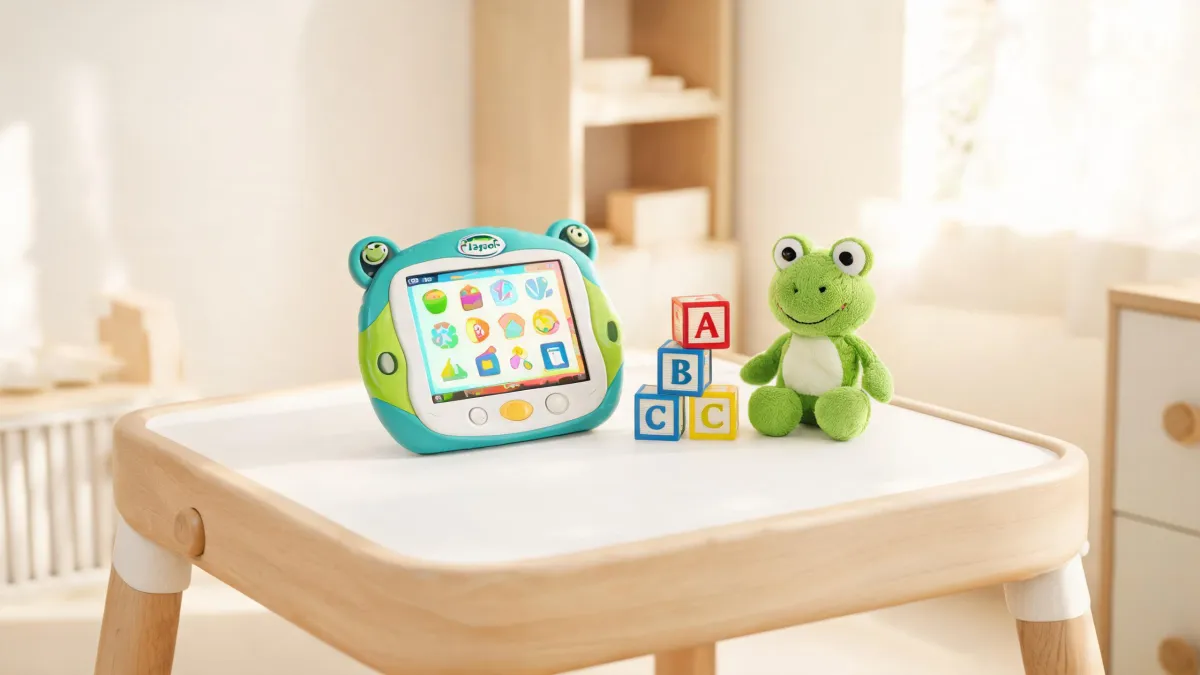
-
A parent's first question: dedicated learning tablet or open tablet?
-
Is a closed learning path a feature or a restriction?
-
Can the warranty turn a kids' tablet into a hand-me-down investment?
-
Is your family the right fit for a locked-down learning path?
-
What is the one question that settles any learning-tablet debate?
You're in the tablet aisle with a preschooler who has already spotted the shiny screens, and you have about fifteen minutes to decide between two very different kinds of devices. One is a general-purpose tablet that will run any app you can find, including YouTube Kids and a dozen school apps your neighbor swears by. The other is a kids' tablet that looks like a toy but is built around a structured learning path. The price tags may not be far apart, but the experience and the supervision burden are. For a four-year-old, the choice is not about processing speed or camera resolution; it is about whether you will be policing every download or trusting the device to stay on track. It is also about what happens after the first week, when the novelty fades and the child starts asking for more. A general tablet gives you maximum flexibility and maximum responsibility. A dedicated learning tablet gives you guardrails, but it also gives you a ceiling on what the device can become. That gap—between a closed, safe learning ecosystem and an open, flexible app playground—is the real decision in front of you.
A parent's first question: dedicated learning tablet or open tablet?
Standing in the aisle, you have fifteen minutes to choose between two very different kinds of devices. One runs any app you can find—YouTube Kids, school apps, whatever your neighbor recommends. The other looks like a toy but is built around a structured learning path and will not install a single app from the Play Store. The box says 'tablet' for both, but the experience and the supervision burden are not close. For a four-year-old, processing speed and camera resolution matter less than whether you will be policing every download or trusting the device to stay on track. It is also about what happens after the first week, when the novelty fades and your child asks for more. A general tablet gives you maximum flexibility and maximum responsibility. A dedicated learning tablet gives you guardrails, but it also gives you a ceiling on what the device can become. That gap—between a closed, safe learning ecosystem and an open, flexible app playground—is the real decision in front of you.
The question you need to answer before you swipe your card is simple: what is this tablet for? If it is for twenty minutes of guided play while you cook dinner, you may value a curated environment that never drifts into free browsing. If it is for a child who will ask for every app you have ever mentioned, you may value the freedom to install anything. The mistake many parents make is treating a kids' tablet as a toy with random games. In reality, the educational value lives in the learning path and in how deliberately the device limits what a child can reach. So before comparing specs, compare the job you are hiring the tablet to do. Are you hiring it to entertain, to occupy, or to teach? The answer determines which side of the aisle you should stand on. The thesis you should test is simple: a dedicated learning tablet is the right first device when safety and curriculum alignment matter more than open flexibility.
Is a closed learning path a feature or a restriction?
Many parents see the word 'tablet' on the box and assume the LeapPad Academy behaves like the family iPad: install apps, open a browser, watch whatever your child searches for. That assumption is the source of most disappointment. The mental shift you need to make is to evaluate the tablet on what it is designed to do, not on what it refuses to do. A device designed for a specific educational job will always feel restrictive if you measure it against a general-purpose gadget. But that restriction is also the point: it is what keeps a four-year-old from wandering into a game you have never heard of. Once you make that shift, the conversation changes from what you are giving up to what your child is getting. You stop asking 'why can't this run my school app?' and start asking 'does this sequence of lessons match where my child is right now?' That is the difference between a toy you hand over and a tool you grow with. The next section will show you exactly what that designed-for-education means.
When you open the LeapFrog Academy area on the official site, you are not looking at a random pile of games. You see a published learning path organized by age and stage: Preschool for 3-year-olds, Pre-K for 4-year-olds, Kindergarten for 5-year-olds, Grade 1 for 6-year-olds, and Grade 2-3 for 7- to 8-year-olds. That structure is the core of the value. The device is not just presenting activities; it is sequencing them so that a 4-year-old encounters skills that match Pre-K expectations, then moves up when ready. The same official pages list supporting categories such as Reading & Writing, Mathematics, Logic & Problem Solving, and Science, which tells you that the content is mapped to school-like domains rather than being a loose collection of distraction games. What changes your judgment here is the realization that the curriculum, not the hardware, is the product. The tablet is the container; the learning path is what you are actually paying for. You are not buying screen time; you are buying a sequence of lessons that adjusts to your child's age.
On LeapFrog's own site, the LeapPad Academy appears under the heading 'learning tablets' alongside other learning systems, not in a general tablet category. That placement is a quiet but meaningful signal: the manufacturer is not asking you to compare it with a general-purpose Android tablet. A general-purpose tablet hands you an empty app store and a browser, and the learning content depends on which apps you install and how closely you supervise. The LeapPad Academy hands you a curated environment where the boundaries are already set, and the official product pages reinforce that message by listing it as a learning system rather than a media device. So when you set the two side by side, you are not comparing two versions of the same thing; you are comparing a tool built to teach a 4-year-old with a tool built to let you assemble your own content library. That is the contrast that should drive your decision.
Can the warranty turn a kids' tablet into a hand-me-down investment?
The purchase price of a kids' tablet is only the beginning. You are also buying a relationship with a company, a stream of updates, and in LeapPad Academy's case, the optional subscription that unlocks the deeper learning path. Think of the device as a piece of household equipment that will be dropped, spilled on, and carried around by small hands. That reality changes what you should care about: less about the processor and more about whether the manufacturer will still be publishing fixes and manuals two years from now. A cheap tablet that breaks and has no support ecosystem is not a bargain; it is a disposable toy that costs as much as a dinner out. The question you should ask in the store is not 'what can this do today?' but 'what will this look like after a year of daily use?' For a device aimed at preschool through early elementary, that after-a-year test is the one that matters most.
When you look past the marketing, the official support pages tell a more practical story. LeapFrog publishes a dedicated LeapPad Academy instruction manual as a PDF, and its support section includes a step-by-step guide for factory resetting the LeapPad Academy or Epic tablet. The same support area even includes a FAQ on cancelling a LeapFrog Academy subscription, a quiet admission that the subscription is part of the product's core offer. That may sound mundane, but it is exactly the kind of documentation that separates a product designed for long-term ownership from a piece of seasonal electronics that will be forgotten after the holidays. The legal pages back that up with warranty language: LeapFrog lists a United States/Canada Two Year Limited Kid-Proof Warranty for several of its tablet lines, including models purchased after May 17th, 2017. You should confirm the exact model list on the warranty page, because coverage terms vary by region and purchase date. But the broader point is clear: this is a product with an ownership infrastructure. You are not buying a black box; you are buying a device that the manufacturer expects you to keep, repair, and hand down.
Is your family the right fit for a locked-down learning path?
If you are buying a first tablet for a child in the preschool-to-early-grade range, and your priority is a safe, curriculum-aligned experience, the LeapPad Academy is the right call. The thesis is straightforward: this is the right first tablet for families who want guardrails and a structured learning path, not for families who need an open Android tablet with full web access. The subscription should be treated as part of the product, not an annoyance; the hardware's real power is the integrated curriculum, and the monthly cost is what funds the age-matched content. If you are willing to let the device set the boundaries, you are getting a learning tool that does not depend on your willingness to police it every evening. That is a value proposition, not a compromise. The learning path organized by age and stage, the official manual, and the support ecosystem all point the same direction: this is a device meant to be used for years, not a holiday novelty.
Now the other side. If your child already uses a general-purpose tablet and you are comfortable supervising an open app store, or if you specifically want YouTube Kids and standard school apps, the LeapPad Academy is the wrong tool. Do not buy it expecting download freedom; you will be fighting the device. Also pass if you are unwilling to pay for the subscription beyond the trial period, because the core learning path is tied to that recurring fee, and the hardware alone is not the full experience. And if your main goal is simply to keep a child quiet in the car, a cheaper basic tablet plus a few downloaded games will do the job without the curriculum overhead. The boundary is about matching the ecosystem to your real priorities: safety and structure on one side, openness and flexibility on the other.
What is the one question that settles any learning-tablet debate?
Remember the aisle where this all started. You had a preschooler tugging your sleeve, two boxes in your hands, and a decision that felt like a gamble. Now you can see that the gamble was never about which device was faster or had more apps. It was about which environment you trust for the hours your child spends with a screen. The opening dilemma was a closed, safe ecosystem versus an open, flexible app playground. That same trade-off is still the whole game; the only thing that has changed is your ability to name it. Naming it is what turns a stressful purchase into a clear-headed choice. The deciding factor is not the app count; it is the fit between the learning path and your child's current stage, plus the warranty and support that protect the device for the long haul.
Here is the rule you can carry into any tablet purchase. Write down the three things your child will actually do with the device: play a guided learning game, watch a video, or use a specific school app. If the list includes open browsing or downloading apps you do not control, you are shopping for an open tablet, and a kids' learning tablet will frustrate you. If the list is mostly guided learning and you want the boundaries to be set by the manufacturer, a curated system like the LeapPad Academy is the better match. Apply the same test to any learning tablet you consider: does the built-in content align with your child's age and school-readiness goals? Does the manufacturer provide manuals, support, and a warranty that suggest the device will survive years of use? If the answer to both is yes, the subscription cost is part of the value, not a catch. That is the decision rule; the rest is just screen size.
Choose the environment you can supervise; let the learning path do the teaching.

Miriam Adler
Miriam Adler is an educational and STEM toy analyst specializing in busy boards, Montessori-style manipulatives, learning towers, sound books, reading pens, pretend-play sets, and early learning toys. She applies ASTM F963 and IEC 62115 methods while evaluating small-part hazards, accessible edges, switch durability, sound output, battery access, pull force, and age-appropriate task complexity. Her work helps parents, retailers, and product teams choose learning products that align developmental goals, supervision needs, interaction design, and the intended age stage.