The LeapPad2 Explorer: A Smart First Tablet for the Right Family
Posted on 2026-08-17 by Miriam Adler
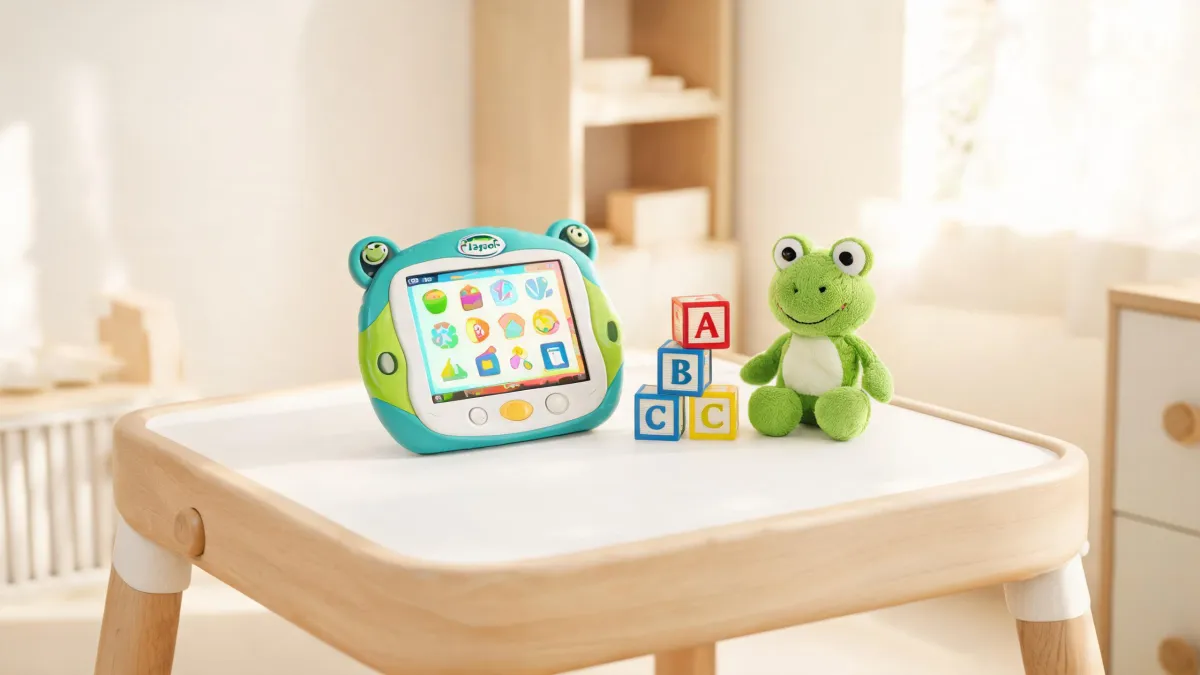
The best first tablet for a child is often the one that does the least, and the used LeapPad2 Explorer might be the least-doing tablet you can still buy in 2026. That is not a sneaky argument for cheapness; it is an argument about what a kid between four and seven actually needs from a screen. A five-year-old starting kindergarten doesn't need a browser, a camera that uploads to the cloud, or an app store offering forty thousand games. They need a device that turns on, teaches them to read, and does not beg for in-app purchases. The LeapPad2, a tablet LeapFrog released years ago, is exactly that. Buying one used gives you a distraction-controlled learning tool for the cost of a few pizzas. But it only makes sense if you accept what it isn't: a device with new content, active support, or a warranty. With that acceptance, this aging gadget becomes a quiet victory for your rules around screen time.
The LeapPad2's Age Is Its Best Feature
It may sound odd, but the best first tablet for a child is often the one that does the least — and the used LeapPad2 Explorer might be the least-doing tablet you can still buy in 2026. That is not a sneaky argument for cheapness; it is an argument about what a kid between four and seven actually needs from a screen. A five-year-old starting kindergarten doesn't need a browser, a camera that uploads to the cloud, or an app store offering forty thousand games. They need a device that turns on, teaches them to read, and does not beg for in-app purchases. The LeapPad2, a tablet LeapFrog released years ago, is exactly that. Buying one used gives you a distraction-controlled learning tool for the cost of a few pizzas. But it only makes sense if you accept what it isn't: a device with new content, active support, or a warranty. With that acceptance, this aging gadget becomes a quiet victory for your rules around screen time.
So why do so many parents glance at a garage-sale LeapPad2 and walk right past it? The objection is always the same: isn't it old and broken, and won't my child outgrow it in a month? Pause on that assumption, because it is doing a lot of work. If the device is physically in good shape, 'old' only means the software stopped getting new apps. That might actually be a feature: your child won't watch the store refresh every week, and you won't be pressured to keep up with new releases. The real question is whether the learning content inside still matches your child's age and your family's screen rules. For a five-year-old in kindergarten, the answer is usually yes. So stop asking if the tablet is out of date and start asking whether the trade-off — less sparkle, more focus — fits your household.
LeapFrog's own website gives you a clue about where this tablet sits today. Its navigation still lists the LeapPad2 under devices that can shop the app center, alongside LeapPad Academy, LeapPad Ultimate, and several newer models. In other words, the company hasn't erased the LeapPad2 from its ecosystem; it just stopped pushing it. The same navigation puts LeapPad Academy in the 'learning tablets' slot while LeapPad2 appears lower in the app-shop-by-device list. That is the fingerprint of a legacy product: recognized but not promoted. For you, this matters because it means the app store still works, apps can still be downloaded, and the device still exists in LeapFrog's world. It also means you should not expect fresh titles, new features, or a prominent spot in customer support. The context is set: this is a parallel device that is quietly alive.
A Walled Garden Is Exactly What a 5-Year-Old Needs
Once you understand the device's place in the catalog, the design makes sense. The LeapPad2 Explorer is aimed at a child roughly three to nine years old, and its hardware reflects that: a chunky, rubberized case, a stylus you can chew on, and a screen that is not fragile glass. The age ranges on LeapFrog's pages show how the company segments everything by stage — preschool, pre-K, kindergarten, first grade and beyond — and the LeapPad2 was built to serve the lower end of that spectrum. This is not a tablet you hand to a twelve-year-old and hope for the best; it is a learning tool for children who still believe the world revolves around them. That is why the limited library fits so well. It doesn't try to be a general-purpose device. It tries to be a reliable, boring, educational companion, and that is precisely what a child in early elementary school needs.
Here's the mechanism that makes this work: a closed ecosystem. LeapFrog's app center lets you shop for apps by device, and the LeapPad2 has its own tiny corner of that store. You cannot side-load a random APK, open a browser, or install a game from an outside developer. The store is curated by LeapFrog, so the content you find is educational by default, and the categories — learning games, interactive storybooks, creativity apps — are all filtered for kids. When your five-year-old wants something new, they scroll through a handful of options, not an endless feed. This is how you can hand a child a screen without handing them the internet. The mechanism is restrictive by design, and the restriction is the point. It also means you never worry about accidental purchases, pop-up ads, or a wander into a video-streaming rabbit hole.
What about the inevitable question: won't my child get tired of the same three hundred games? Think about how a five-year-old plays. Kids don't need new content daily; they re-read the same picture book until it falls apart. The LeapPad2's library is large enough to rotate, but small enough to master, and mastery is what builds confidence. If your child does hit the edge, you can buy a few expansion cartridges or swap apps from the app center, and that becomes a treat rather than a routine. The bigger risk is the opposite: a child drowning in choices and never focusing. So no, your child will not outgrow it in weeks; they will outgrow it in years, and by then a different device will be appropriate.
The Real Comparison Is Not Price — It's Patience
Now comes the decision that actually matters for your wallet: should you spend thirty dollars on a used LeapPad2 or ninety-nine dollars on a new LeapPad Academy? The two devices look similar from a distance — same brand, same colorful shell, same stylus — but they occupy different worlds. Your choice is not just about price; it is about what you value more: freshness or focus, warranty or strictness, a machine that grows or a machine that stays still. Let's walk through the dimensions that will shape your child's daily use and your monthly peace of mind. By the time you finish, you will see that this is a genuine fork in the road, not a simple budget hack, and the right answer depends on your family's screen-time rules and your tolerance for uncertainty.
Look at how LeapFrog's own site treats the two. The homepage and support pages push LeapPad Academy: it is the featured tablet in the learning-tablet category, it has a product manual in the popular downloads, and it appears in current FAQs. The LeapPad2, by contrast, still shows up in the shop-by-device list for apps, but you will not find its manual in the popular instruction list, and the support center does not push it. That is a snapshot of your support experience: the new tablet gets documentation and firmware attention, the old one gets a shrug. Now add the warranty gap. LeapFrog offers a two-year limited Kid-Proof warranty for newer tablets like the LeapPad Academy, but a used LeapPad2 carries no such promise. So your thirty dollars buys a device that may work for another year or may fail in a month. The new device costs three times more and comes with a safety net. That is the real comparison: you are trading money for risk and support, while also trading a living app store for a static one.
What tips the scale is how you plan to use the device. If your goal is a distraction-free learning corner for a kindergartner, the LeapPad2's limitations become advantages: no endless updates, no requests for new purchases every week, no browsing. If your goal is a tablet that will grow with your child and still receive educational content in 2028, the LeapPad Academy is the safer bet. Ask yourself one question: do you want a screen that quietly does its job for two years, or a platform that will still be pushed by the manufacturer when your child is in second grade? That answer, more than the price tag, is your decision factor.
Discontinued Doesn't Mean Unsafe — It Means Uninsured
Let's kill the biggest myth first: a discontinued tablet is not the same as a broken tablet. Many parents assume that once a device stops receiving updates, it becomes insecure or useless. For a general-purpose Android tablet, that worry is often justified — missing security patches can leave a device exposed. For the LeapPad2, the threat model is different. The device is not a browsing machine; it does not connect to the open web, and its apps come from a single controlled store. The danger of malware is minimal, and the risk of a child wandering into harmful content is close to zero. The real risk is mechanical: a dead battery, a cracked screen, a worn-out stylus. That is why the misconception needs to be replaced with a sharper question: what kind of 'outdated' are you worried about — software updates or physical durability?
The correction comes from LeapFrog's own warranty terms. The company's two-year limited Kid-Proof warranty covers newer tablets purchased after May 17th, 2017 — specifically models like the LeapPad Academy and LeapPad Ultimate. The LeapPad2 is nowhere in that list. So when you buy a used LeapPad2, you are not buying a product the maker is actively protecting; you are buying an orphaned piece of hardware. But being an orphan does not make it dangerous. The correction is this: treat 'discontinued' as a signal about support, not about safety. Check the battery health, confirm the screen responds to the stylus, and verify that the charging port works. If those pass, the device is as functional as the day it shipped. The lack of warranty simply means you are the warranty. That is a risk you can manage with a careful inspection and a backup plan.
The Verdict: Buy It Used, With a Checklist in Hand
So here is the verdict. Yes, buy the used LeapPad2 Explorer — but only if you can check the unit in person, your child is between roughly four and seven, and your family wants a screen that enforces limits without you hovering. This tablet is a small, durable, closed learning tool that fits a specific family's needs better than a shiny new device ever could. It is not the right choice for parents who want the latest content or a long support runway. For you, the bargain is real: thirty dollars for two or three years of focused, ads-free educational play is a steal. The key is to walk into the transaction knowing that the maker has moved on, and that you are the one who keeps the battery charged and the stylus in place. With that understanding, the LeapPad2 becomes less of a relic and more of a win.
Before you hand over cash, run through the boundary conditions. Buy it if: the screen has no deep scratches, the battery holds a charge for at least a couple of hours, the stylus tip is intact, and you can power it on and explore the app store yourself. Do not buy it if: the seller refuses to let you test it, the charging port is loose, or the price creeps above fifty dollars — at that point you are halfway to a refurbished LeapPad Academy with a warranty. Also think about your child's age: a three-year-old will thrive on the simple games, but a seven-year-old may already be asking for something with more breadth. For the sweet spot of kindergarten, the LeapPad2 is a lovely fit. Outside that window, or without a hands-on test, the cheap price becomes a trap. Boundaries respected, this old tablet can earn its place in your home.
Buy the used LeapPad2 when you can test it and your child is in the sweet spot; skip it if you want the maker's promise behind the product.

Miriam Adler
Miriam Adler is an educational and STEM toy analyst specializing in busy boards, Montessori-style manipulatives, learning towers, sound books, reading pens, pretend-play sets, and early learning toys. She applies ASTM F963 and IEC 62115 methods while evaluating small-part hazards, accessible edges, switch durability, sound output, battery access, pull force, and age-appropriate task complexity. Her work helps parents, retailers, and product teams choose learning products that align developmental goals, supervision needs, interaction design, and the intended age stage.