LeapTV Educational Gaming System: A Field Guide for Parents
Posted on 2026-08-18 by Miriam Adler
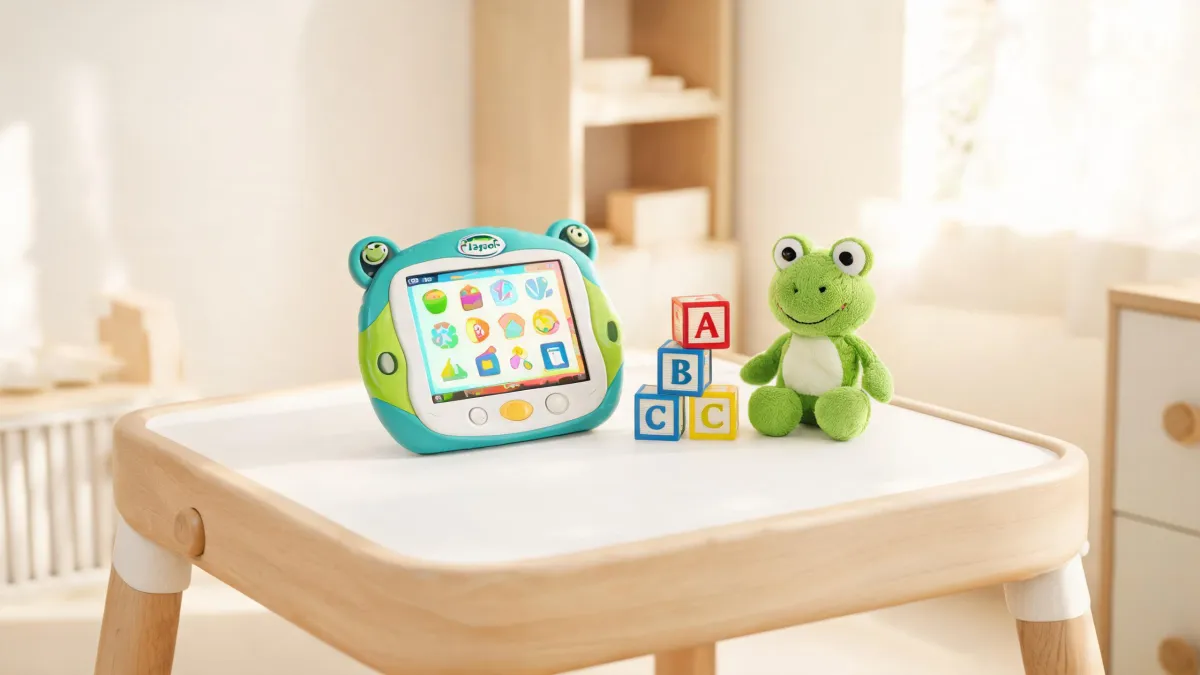
The box set the tone: a white console, a motion camera, and a controller sized for small hands. The menu asked for your child’s age and then offered a small set of skill-labeled games—no app store, no endless catalog. That deliberate restraint is the clue: LeapTV’s value comes from what it refuses to do.
The Night the Box Arrived
The box came on a Tuesday evening, when thirty minutes of screen time felt like a hard-won agreement. You carried it to the living room, peeled open the tape, and found a white console, a motion camera, and a controller sized for preschool hands. The packaging called it a learning system, not a game console, and the quick-start guide had only three steps: plug in, connect camera, select age. When the television lit up, the menu asked for your child’s age and then displayed a small set of games, each labeled with a skill like letter recognition or counting. There was no app store, no endless catalog, no prompt to create an account. Because the setup never invited you to browse, you had the first clue that this machine runs on deliberate limits. That restraint made you curious rather than disappointed, and you began to suspect that this machine’s value might come from what it refuses to do.
Your daughter grabbed the controller and was swiping her arms within minutes, making a cartoon frog hop across the screen. The game asked her to match uppercase and lowercase letters, nudging her to retry without harsh feedback. When the timer rang, she asked for one more level. That reaction told you this wasn’t a dull worksheet in disguise. There was a clear goal underneath, and you couldn’t tell where the game ended and the lesson began. Her eagerness felt different from how she abandoned other apps after a week. That blurry line made you think the entertainment might be the delivery system, not the distraction.
That night, you looked at the box and realized the label 'educational gaming system' could mean anything. A tablet with phonics apps is technically that, yet you knew such apps sit ignored after a week. The machine had no store and no huge library; a simple age prompt brought up a short list of games, each tagged with a specific skill. That felt limiting, but also oddly reassuring. If the machine was this deliberate about boundaries, maybe the boundaries were the point. You still couldn’t explain why a smaller library would help your child learn more than a bigger one. You wanted to know whether the learning claims were real or just marketing, and whether a tiny game library could really out-teach a tablet. That question carried you into the next evening, when you looked up how the system actually worked.
A Product Line That Refuses to Be a Tablet
You opened the LeapFrog website and let the page organize itself. The homepage sorts the entire product line into clear buckets: learning toys, learning systems, reading systems, and tablets. There, in the learning systems column, sat LeapTV, flanked by LeapStart and LeapReader. That placement was the first solid clue. If LeapTV were just a tablet with a bigger screen, it would have appeared alongside LeapPad Academy and the rest of the tablet family. It didn’t. The company treats it as a separate animal—a system built to be plugged into a television and controlled by the child’s body, not just their fingertips. That distinction matters because it changes what you can expect: a tablet is a general-purpose screen, while a learning system is a purpose-built device with a closed curriculum. Seeing the two categories side by side made you realize that the closed-ness wasn’t an accident; it was the design.
The same page hinted at a deeper structure. Below the product buckets, LeapFrog lists a 'Learning Path' with stages from baby (6-11 mos.) to Grade 2-3 (7-8 yrs.). Each stage has its own set of skills—reading, math, logic, science, and so on. LeapTV’s games are pegged to those stages, not random. When you select your child’s age, the system doesn’t just filter games—it aligns them to a scope and sequence the company has built over years. A general-purpose tablet offers a free-for-all of apps, many of which aren’t educational at all. The LeapTV, by contrast, gives you a small library where each title corresponds to a milestone on that path. That contrast made the closed library feel less like scarcity and more like deliberate curriculum design.
By the time you closed the browser, the picture had sharpened. LeapTV is neither a toy for mindless entertainment nor a multipurpose tablet. It’s a closed learning console that uses age-appropriate boundaries to guide attention. The library may feel small, but every game is a tool aligned to a skill stage. That positioning has clear practical implications: you won’t need to supervise app downloads, you won’t be fighting endless notifications, and you won’t have to guess whether a game is worth five dollars or ten. The machine already did that curation for you. What it asks in return is that you trust its sequence—that you let a four-year-old work on pre-K skills, not leap ahead to something flashier. That’s a trade you hadn’t expected to consider, and it’s the trade that will determine whether this device earns its place in your living room or sits dormant after the novelty fades.
Behind the 2,000+ Activities
To see how the learning actually happens, you dug into the company’s support pages and found something called the Academy Learning Path. It’s a detailed map that breaks down what a child should work on at each stage, with categories like reading & writing, math, logic, science, and social studies. The LeapTV’s games don’t just happen to teach these things—they are designed to target them. When your daughter plays a game that asks her to sort shapes, that’s logic & problem solving. When she matches letters, that’s reading & writing. The causal chain is explicit: the game presents a challenge, the child responds, the system observes, and it adjusts the next challenge based on mastery. Each level she completes is tied to a defined learning objective, so progress in the game is progress on the learning path.
LeapFrog’s homepage flashes a number that’s hard to ignore: 2,000+ learning activities. That figure isn’t a boast about mindless minigames; it’s the count of activities tied to the learning path. The company even offers a 1-month free trial of its Academy subscription, which suggests they’re confident in the content. For LeapTV, the activities live on the console itself, not in a cloud of endless updates. That means the value you’re buying isn’t a trickle of content—it’s a curated collection already checked against the curriculum. When you see that number alongside the age-stage map, the picture becomes clear: the machine is a delivery vehicle for a structured library, and the library is the product. That 2,000+ number matters because it represents depth across reading, math, and logic, not just more of the same. It means there’s enough variety to keep a child engaged over months, not just a weekend.
The skill progression is what makes the small library feel like a curriculum rather than a playlist. Those age bands from baby to Grade 2-3 carry expected abilities at each stage. A four-year-old in pre-K works on letter sounds and number recognition; a six-year-old in kindergarten moves toward early reading and addition. LeapTV uses those bands as the skeleton for its game library. You can’t accidentally download a game meant for a twelve-year-old because such a game doesn’t exist for this system. The console only shows content that matches the age you selected, and as your child masters one skill, it can present the next one in sequence. That sequencing is why the device feels designed for the long run: it’s not a toy you outgrow in a month, but a system that grows with your child, stage by stage.
When You Actually Live With It
Setting up the LeapTV turned out to be less hassle than you feared. The support page lists PDF manuals for every major product, including LeapTV, plus popular FAQs covering common problems like device errors or missing parts. You downloaded the manual, connected the camera to the TV, and ran through the on-screen setup in about fifteen minutes. The console asked for your Wi-Fi password, but only to fetch updates—not to open a general-purpose browser. Within the first evening you had the device calibrated for your child’s age and height, ready to go. The existence of that manual and FAQ section told you LeapFrog expects people to own this thing for years, not to treat it as a disposable gift.
When something goes wrong, the support system feels built for real families. The FAQ page includes questions like ‘I forgot my parent lock code. How can I find it?’ and ‘I’m missing parts from my LeapFrog Toy, can I buy parts?’ Those aren’t corporate deflections; they’re practical answers to the exact problems a parent hits on a Tuesday night. The parent lock code is especially useful—restricting access without hovering. And if you lose a part, the company lets you order replacements rather than forcing a whole new unit. That level of support suggests a product designed to be lived with, not just opened on birthdays. When a company invests in FAQs and spare parts, it’s signaling that the device is expected to stay in service through many lost pieces.
The warranty page adds confidence. LeapFrog lists limited hardware warranties for its devices and a Two Year Limited Kid-Proof Warranty for several of its learning tablets purchased after May 17th, 2017. Even if model coverage varies, a dedicated kid-proof warranty tells you the company expects rough handling. A warranty that specifically covers kids isn’t a formality; it’s an acknowledgment that devices will be dropped, chewed, and flung across a living room. That matters when you’re choosing between a cheap, anonymous tablet and a slightly more expensive learning console. With the LeapTV, you’re not just paying for hardware; you’re paying for a support system that expects your child to be a child. The confidence that backing gives you makes it easier to hand over the controller and let your kid learn through trial and error, knowing the machine is designed to survive it.
Three Months In, a Clearer Verdict
Three months later, the Tuesday-evening scene looks different. The console lives in the TV stand, and your daughter has moved through games without asking for an app store. She still runs in when a game calls for movement, and the thirty-minute timer still ends with a request for one more level. The question that kept you awake that first night—is this just a fancy toy?—has settled. The device’s limits, once felt like shortcomings, have become the reason it works. You know exactly what she’s playing and what skill each game targets. The proof shows up in small moments: she sounds out three-letter words and counts groups of objects without prompting. Those aren’t dramatic breakthroughs; they’re quiet evidence that game levels and the learning path are the same.
Given all that, the rule for whether LeapTV belongs in your home isn’t about specs or price. It’s about accepting a closed system in exchange for a structured one. If you want your child to watch videos, browse the web, or play viral games, LeapTV will frustrate you—it’s not that machine. But if you want screen time turned into measurable learning, and you’ll spend a few minutes weekly reviewing what your child played and the skill it rehearsed, the LeapTV rewards that attention. The rule has three parts: first, you agree the library’s limits are a feature, not a bug; second, you have a child in the age range the system supports (roughly three to seven); and third, you can live with the idea that the console is the smallest screen your child will encounter—a deliberate constraint that keeps distraction low. If those three hold, the LeapTV will look less like a toy and more like a tutoring session that happens to be fun.
On the final Tuesday of the third month, you watch your daughter finish a level without any help, then pause to explain the rule of the game to the dog. In that moment, the verdict is clear: LeapTV isn’t a compromise between fun and learning—it’s a decision about what you want from a screen. If you choose a tablet, you get freedom and noise. If you choose LeapTV, you get boundaries and signal. The machine doesn’t pretend to be everything, and that’s exactly why it succeeds at what it sets out to do. Your daughter doesn’t know she’s on a learning path; she just knows she gets to play. And you get to watch progress happen, level by level, without having to police what she’s doing. That’s the exchange you accepted, and three months later, it still feels worth it.
And that’s how a Tuesday-evening screen timer became a small, trusted ritual—a machine that once seemed limited now felt like a tutor that knows exactly when to say no.

Miriam Adler
Miriam Adler is an educational and STEM toy analyst specializing in busy boards, Montessori-style manipulatives, learning towers, sound books, reading pens, pretend-play sets, and early learning toys. She applies ASTM F963 and IEC 62115 methods while evaluating small-part hazards, accessible edges, switch durability, sound output, battery access, pull force, and age-appropriate task complexity. Her work helps parents, retailers, and product teams choose learning products that align developmental goals, supervision needs, interaction design, and the intended age stage.