LeapPad2 Explorer: Still a Smart First Learning Tablet for the Right Age
Posted on 2026-08-17 by Miriam Adler
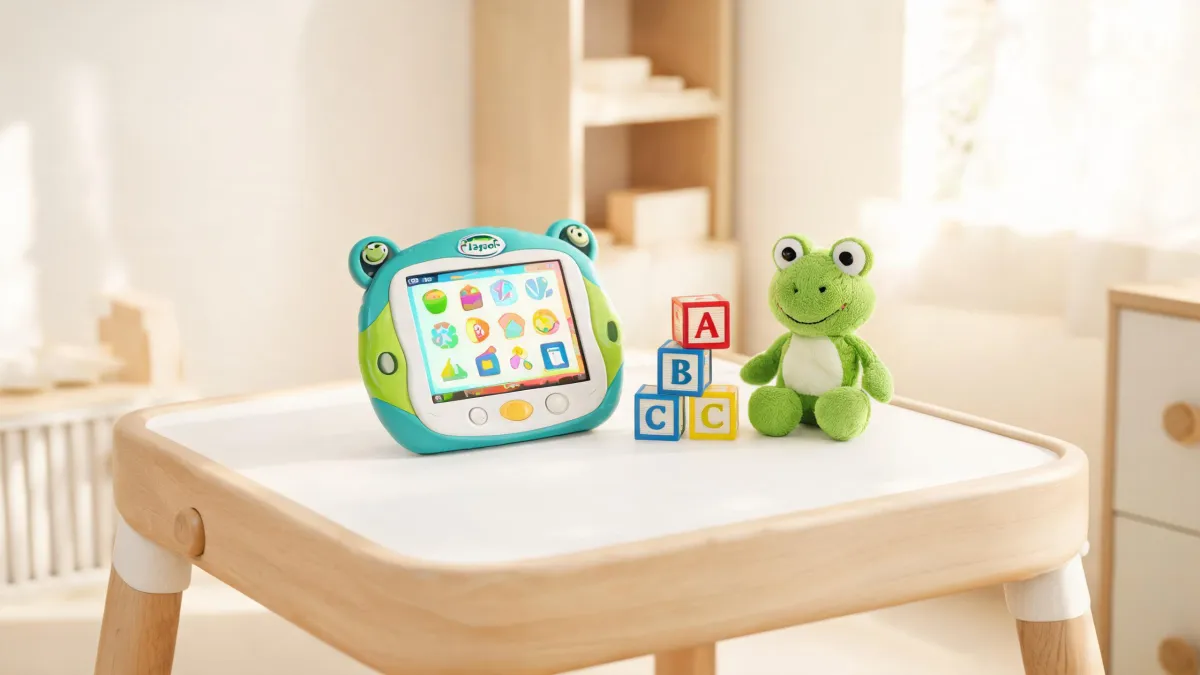
Your child does not need a faster tablet; she needs a smarter boundary. The LeapPad2 Explorer is still a sensible first learning tablet for a narrow but crucial age window, provided you treat it as a closed educational tool rather than a miniature Android. That stance sounds contrarian in 2026, when every parent is told that newer means better. LeapFrog's own website undermines that reflex: browse its navigation and you meet age bands from Infant (3-12 months) all the way to First Grade & Beyond (6+ yrs.), and LeapPad2 is listed alongside LeapPad Academy and LeapPad Ultimate as a current learning tablet. The company is not selling horsepower; it is selling a developmental slot. For a four-year-old working on phonemic awareness and basic math during car rides, the right question is not whether the hardware is fresh, but whether the content fits the child's stage. That reframing changes everything you will compare later.
New isn't the question — fit is.
Ask yourself a harder question before you check the price tag: what is this device supposed to do that an open tablet cannot? If you hand a five-year-old a general-purpose Android tablet, you are also handing her an app store that never sleeps, ads that interrupt, and a YouTube rabbit hole that turns a ten-minute phonics session into a forty-minute negotiation. The LeapPad2 sidesteps that negotiation by design. Its app center is curated, its learning path is structured, and its interface is locked down enough that a preschooler cannot drift into settings or stumble onto a browsing engine. You are not buying a slower version of something else; you are buying a different category—a practice tool with training wheels for attention. The protected wall is not a flaw to be jailbroken; it is the feature that makes quiet-time play safe without you hovering. Once you frame it that way, 'old versus new' becomes the least interesting comparison you could make.
The common mistake: treating LeapPad2 like a stripped-down Android tablet.
Many parents expect LeapPad2 to accept any app or to behave like a grown-up tablet with kid content on it. LeapFrog's support structure gives the game away: the official support hub is built around product-specific FAQs, instruction manuals, and a desktop utility called LeapFrog Connect, not around app sideloading or open Android configuration. When you look at the support section, you see PDF manuals for devices like LeapPad Academy and LeapPad Ultimate, plus popular FAQs asking about factory resets, charging problems, and missing parts—none of which assume you can install arbitrary software. That is the first clue that the device is a closed ecosystem. Think of it as a children's toy with a screen, not as a tablet with a toy skin. You do not shop for LeapPad2 apps the way you shop for Play Store apps; you shop a catalog that LeapFrog controls, which means every title has passed through the same age-based filter that organizes the whole brand.
The mechanism behind that wall is a learning path, not a store. LeapFrog's Academy Learning Path organizes content by age-and-stage bands—Baby (6-11 mos.) through Grade 2-3 (7-8 yrs.)—and by skill domains such as Reading & Writing, Mathematics, Logic & Problem Solving, Science, and Creativity & Life Skills. When you connect the tablet to LeapFrog Connect and pick an app, you are not just downloading a game; you are slotting an activity into a progression designed for a specific developmental moment. That is exactly why a closed device can outperform a 'more capable' open one for a three-to-six-year-old. The constraint creates a curriculum; the lack of a general browser removes the biggest fight you would otherwise have. The condition, though, is that you must be willing to curate inside the curated space—check the age band, read the skill label, and choose with your child's week in mind. That curation step is the difference between a tool and a toy shelf; a parent who skips it will watch a Pre-K child play a toddler game and conclude the tablet is stupid.
LeapPad2 vs. the field: curation wins for the right age.
Set the lineup side by side and the puzzle solves itself. LeapFrog's official product navigation lists LeapPad2 alongside LeapPad Academy, LeapPad Ultimate, LeapPad3, LeapPad Epic, and LeapPad Jr., which tells you that the company sells a ladder of choices, not one 'best' slab. LeapPad Academy sits above LeapPad2 with a larger library and a more school-ready pitch; LeapPad Jr. sits below with toddler-proof simplicity. For a three-to-six-year-old, the LeapPad2 is the middle rung with a specific advantage: its app catalog is smaller but tightly matched to preschool and Pre-K content, the same age bands—3-4 yrs. and 4-5 yrs.—that structure LeapFrog's entire learning-toy taxonomy. LeapFrog's own app center lets you filter by device, and LeapPad2 is still one of the named destinations—a sign the catalog is maintained, not abandoned. The comparison is not about megapixels or processor speed. It is about how much of the content actually matches the child's current brain rather than the child's future one. A generic toddler tablet might have more raw app choices, but raw choice is not a feature when the user cannot read yet.
The trade-off, then, is real and it cuts both ways. The same wall that protects a four-year-old from YouTube will frustrate you the moment you want a specific phonics app that LeapFrog does not carry. Because the ecosystem is closed, you will never be able to install a third-party math game that a friend swears by, and you will sometimes pay for an app that turns out to be more decoration than depth. That is the price of curation: safety, predictability, and a smaller menu. For a child who still puts things in her mouth, the predictability wins. For a seven-year-old who already knows how to navigate a browser, the same wall becomes a ceiling. So the trade-off is not 'LeapPad2 vs. modern tablet'; it is 'what you want the device to prevent' versus 'what you want it to enable.' Name the prevention first, and the choice becomes easier.
A decision rule for your child.
Run this three-question filter before you spend a dollar. One: is your child between roughly three and six and still in the pre-reading or early-reading stage? If yes, LeapFrog's own Learning Path—which groups skills like Reading & Writing, Mathematics, and Logic & Problem Solving into age bands from Pre-K through Grade 1—tells you the content is designed for exactly that window. Two: do you want a device that limits itself, rather than a device you must monitor every minute? The support pages for LeapFrog tablets, with their parent-lock questions and factory-reset FAQs, exist because these tablets are meant to be managed from a parent account, not handed over as an open sandbox. Three: is the low-stress structure worth the smaller app store? If you answered yes to all three, the LeapPad2 is not a compromise; it is the correct specification. A 'yes' on the first two and a 'no' on the third means you will fight the device for years, so answer the last one with your parenting style, not your hopes.
See how the rule plays out in real use. A four-year-old who needs phonemic awareness and basic math practice during car rides and quiet time fits the filter perfectly: the LeapPad2 gives you a locked set of phonics games, a math app or two, and no way for little fingers to wander into a browser. A seven-year-old who already reads chapter books and asks for YouTube tutorials hits the ceiling—the same age band that made preschool content so precise now feels thin, and the closed app center becomes a bottleneck. And a two-year-old? LeapFrog's own age bands start serious tablet content later, so the LeapPad2 is too much device and too little Chunky. The rule is not about the tablet's age; it is about your child's stage. Apply it honestly and the 'is it outdated' question disappears. And when a child sits between two bands, choose the lower one; too-easy beats too-confusing every time.
Verdict: where LeapPad2 still wins and where it doesn't.
The verdict is a conditional yes. Buy the LeapPad2 Explorer if your child is in that three-to-six window, if you want a tightly curated learning device, and if you are willing to sit with her for the first few sessions to show her which apps are 'her' apps. The hardware's age is a red herring; LeapFrog still lists the device in its current catalog, and the company signals durability by offering a United States\/Canada Two Year Limited Kid-Proof Warranty for devices like LeapPad Ultimate, LeapFrog Epic, and Epic Academy purchased after May 17th, 2017. That warranty culture matters: a learning tablet only works if it survives the learning. What the device is not is a general-purpose tablet, and pretending otherwise will end in disappointment. If you need YouTube, a school-issued Chromebook, or a Minecraft server, buy something else. For the parent who wants a screen that teaches and stops there, the LeapPad2 remains a sensible, even ideal, first tablet.
Do not buy it past the boundary. Once a child turns seven—the start of LeapFrog's Grade 2-3 band—the content library thins out for a fluent reader, and the closed ecosystem starts feeling like a cage rather than a guardrail. If your parenting style rejects curated platforms on principle, or if you want a single device that can grow from preschool to middle school, the LeapPad2 will force an upgrade sooner than you hope. And if your real need is distraction-free practice time, be honest that the device alone cannot deliver it: the parent has to load the right apps, set the session limits, and put the tablet away when the timer rings. The boundary condition is not about the child's dexterity or the tablet's speed; it is about whether you will accept the role of curator. Accept it, and the LeapPad2 never goes out of date for your kid.
For that four-year-old in the back seat, the LeapPad2 is not the outdated option—it is the fitted one.

Miriam Adler
Miriam Adler is an educational and STEM toy analyst specializing in busy boards, Montessori-style manipulatives, learning towers, sound books, reading pens, pretend-play sets, and early learning toys. She applies ASTM F963 and IEC 62115 methods while evaluating small-part hazards, accessible edges, switch durability, sound output, battery access, pull force, and age-appropriate task complexity. Her work helps parents, retailers, and product teams choose learning products that align developmental goals, supervision needs, interaction design, and the intended age stage.